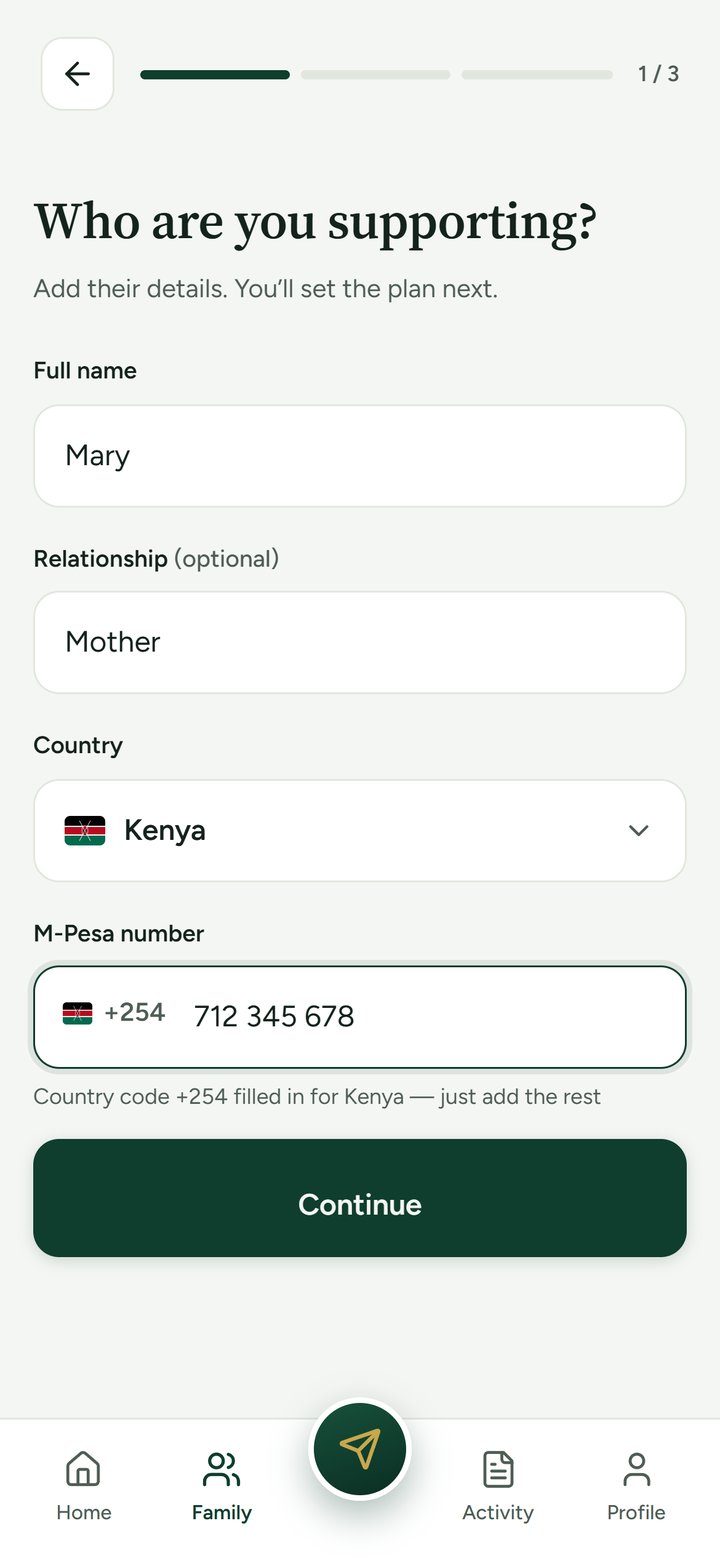
Add the people you support, once.
Their name, how they’re related, the country, and the mobile-money number they receive on. That’s the whole setup.
Plan the support, send it home, and see the fee and exactly what arrives before you send. With the Nia line,* eligible customers can send what’s needed now and repay over time.
*The Nia line is not available to every customer. Eligibility, limits, repayment terms and approval apply and may change. The cost and terms are shown before you draw. Terms apply.
An illustration with example figures. The app shows your live fee and amount before you confirm.
Rent, school fees, the clinic. Tell us when it's due and when you're paid, and see the days in between.
*The Nia line is not available to every customer. Eligibility, limits, repayment terms and approval apply and may change. The cost and terms are shown before you draw. Terms apply.
These are the real screens, with demo data. Add someone you support, set the plan once, and Nia keeps it in view.
Their name, how they’re related, the country, and the mobile-money number they receive on. That’s the whole setup.
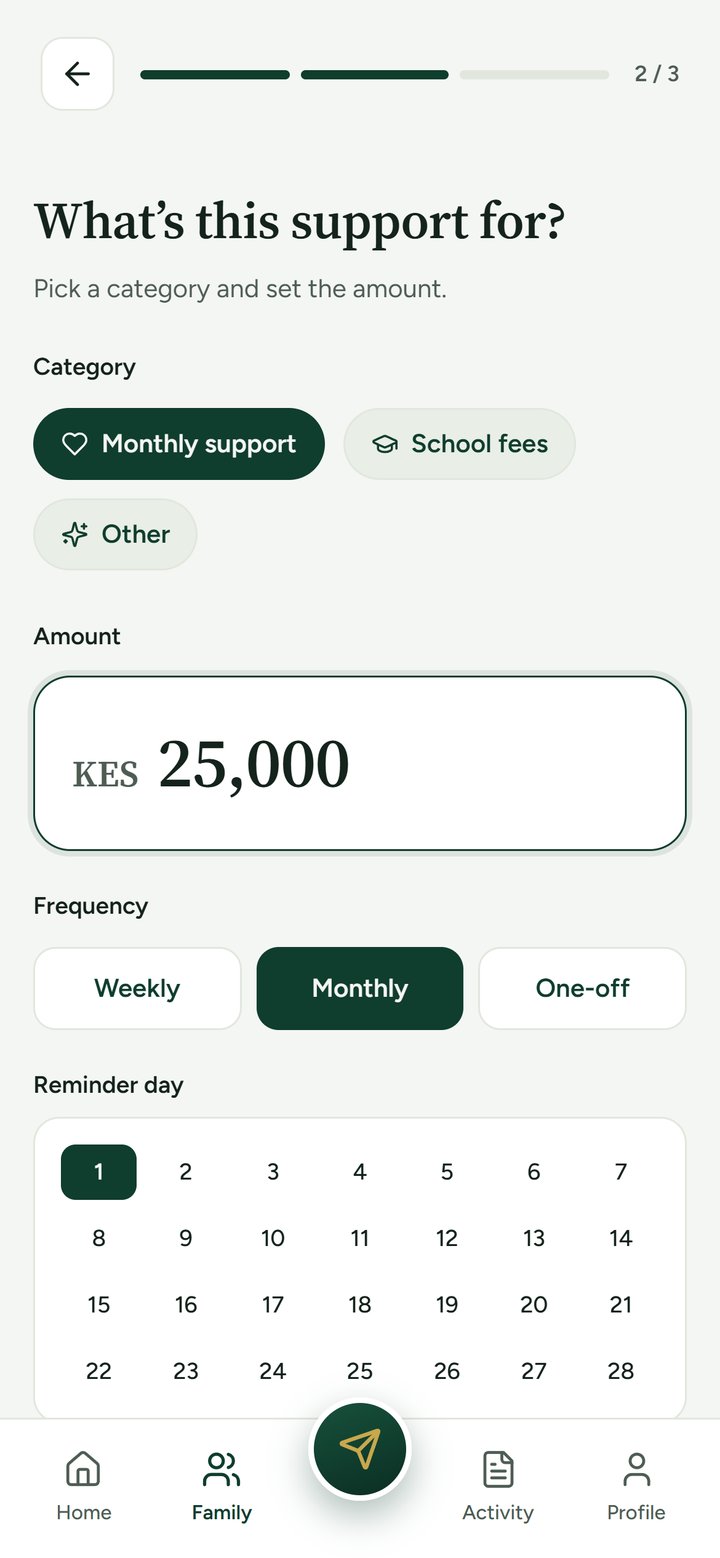
Monthly support, school fees or something else. Choose the amount, weekly, monthly or one-off, and the day you want to be reminded.
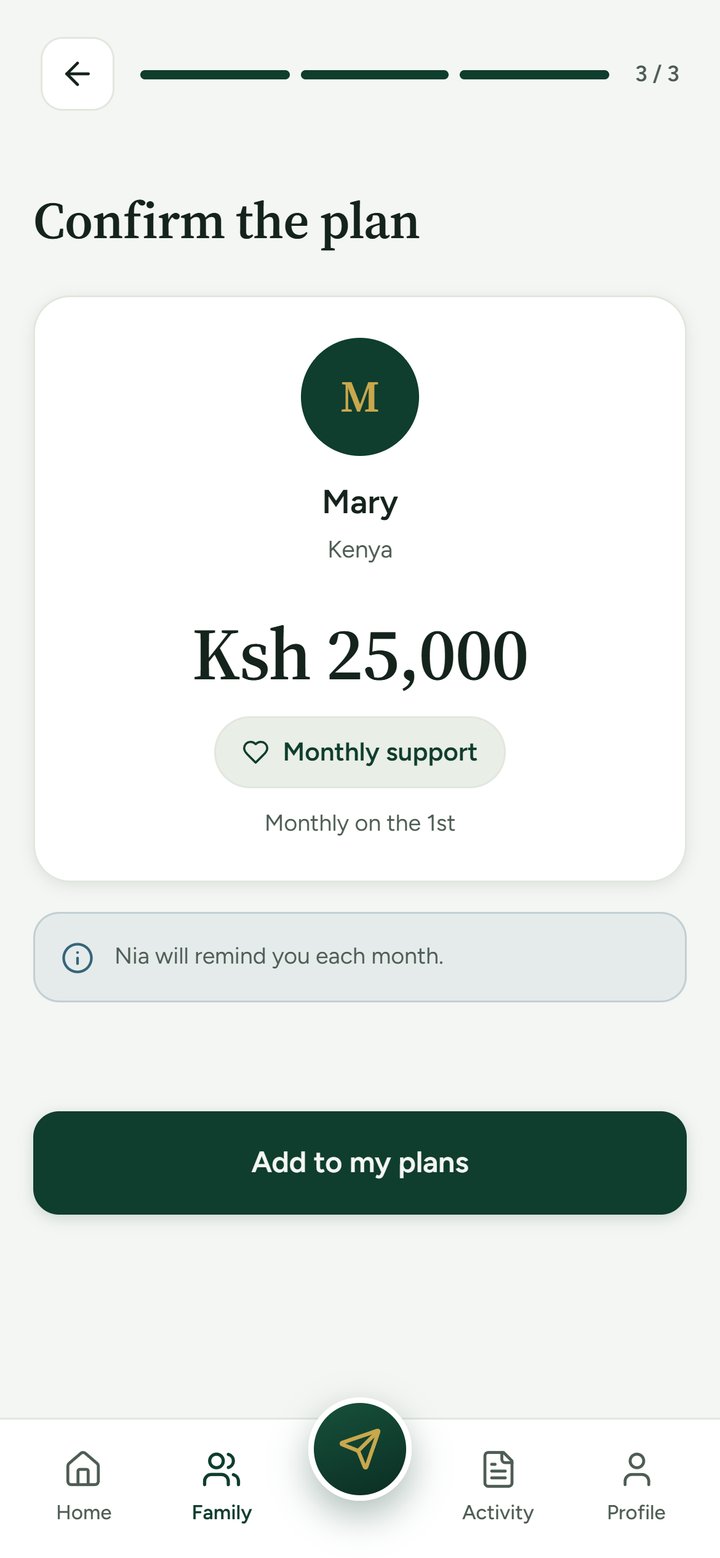
One clear summary of who, how much, and how often. Nia will remind you each month, so it never lives only in your head.
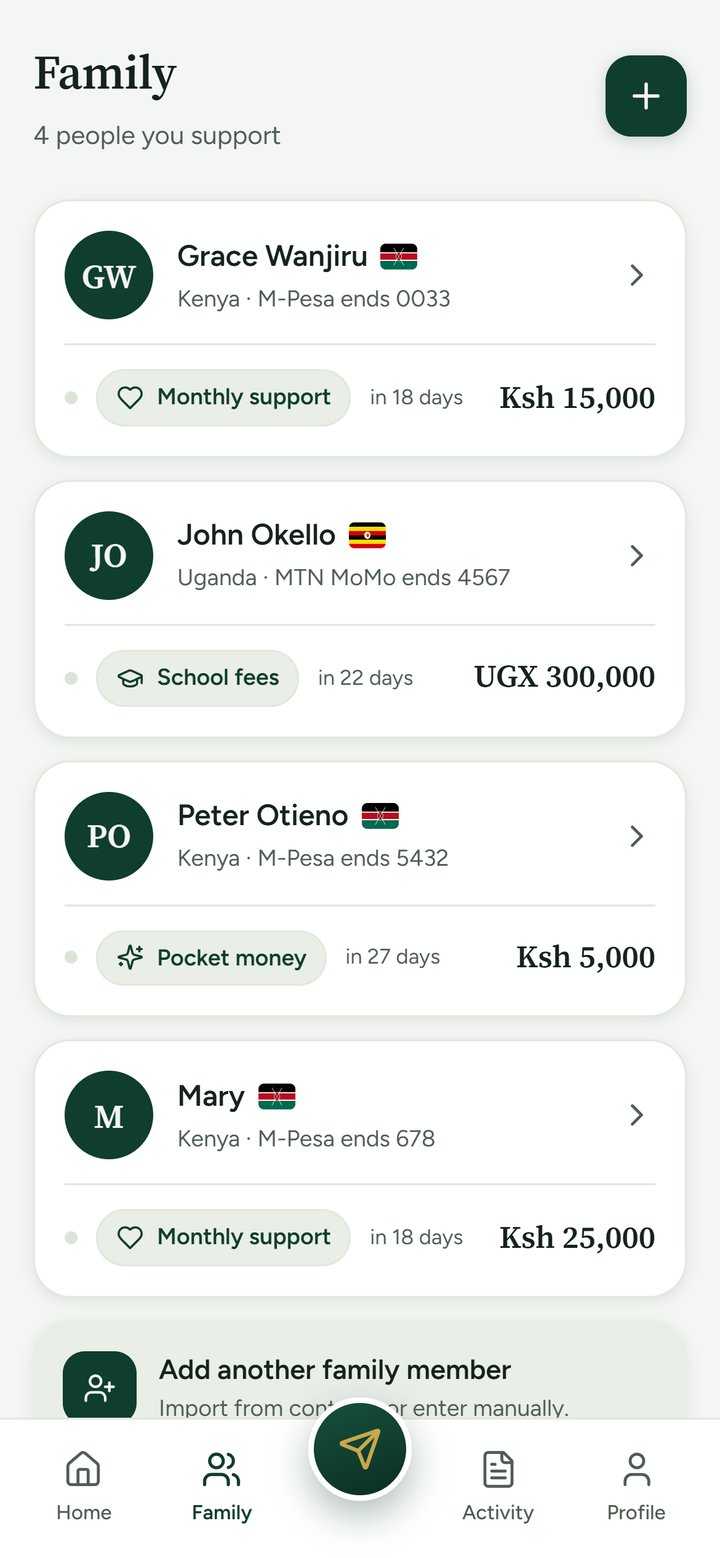
Every person, every plan and every due date on the Family tab. Open anyone to change the plan or mark it sent.
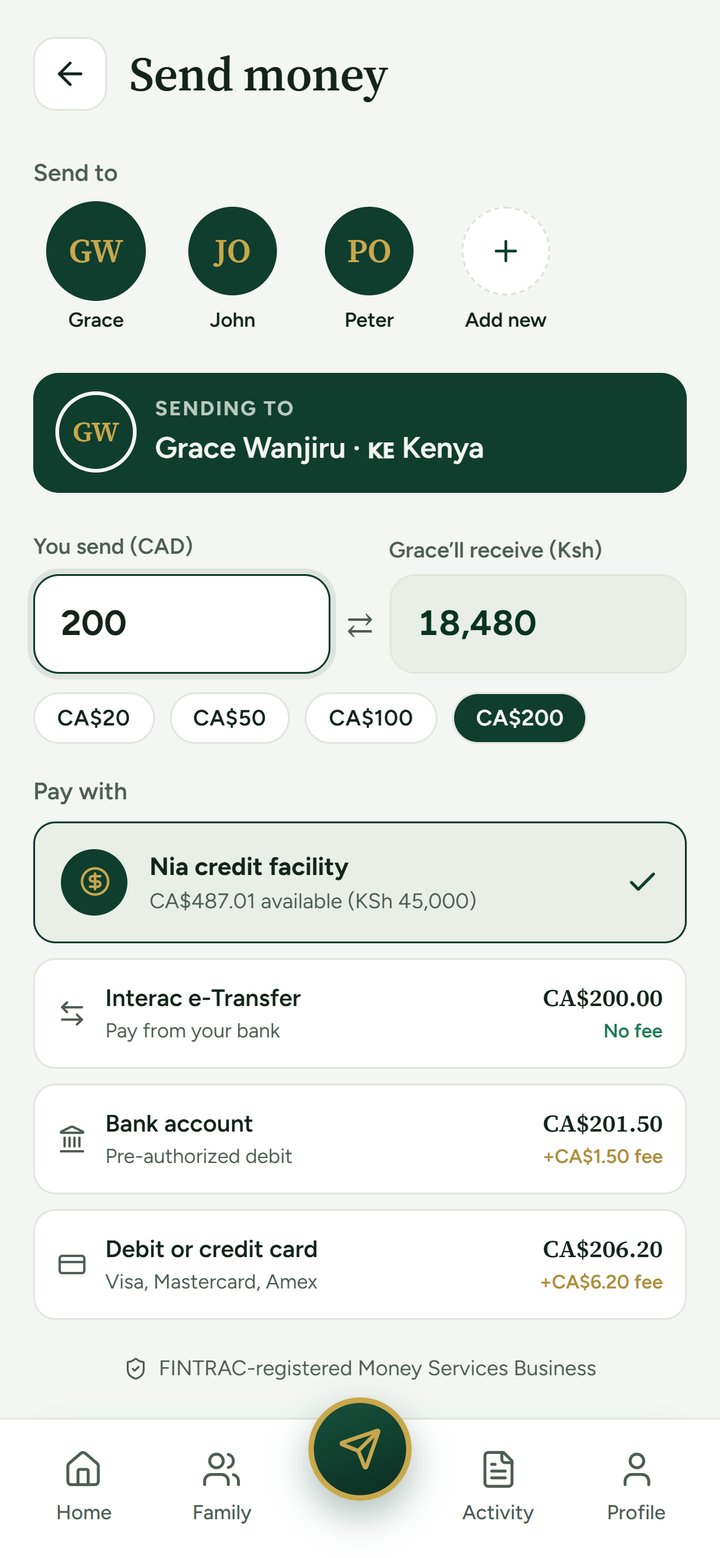
Choose who, type the amount, and see what they’ll receive. The fee is shown first. Then pay from your bank, by card, or with your Nia line* if you’re eligible.
*Eligible customers only. Terms apply.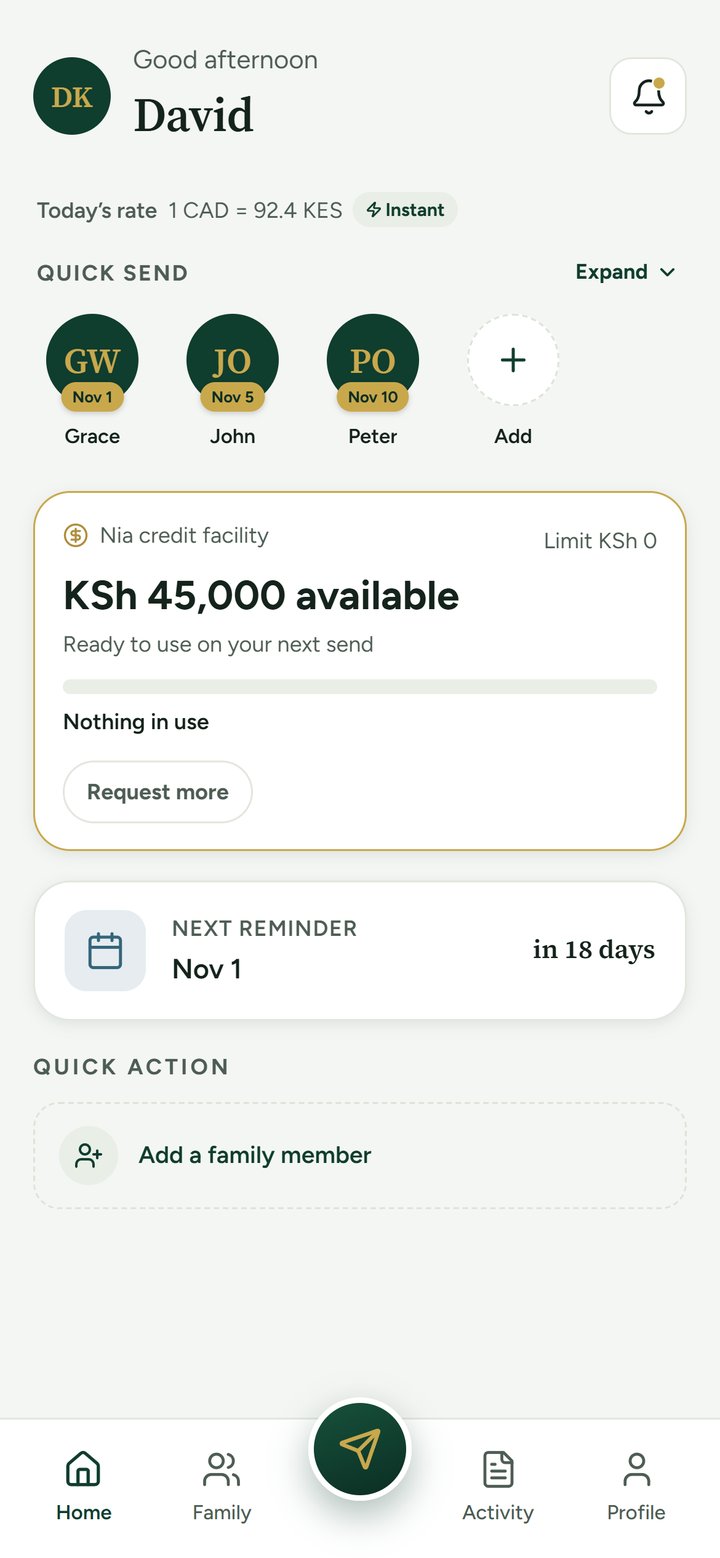
Nia reminds you ahead of time, so the rent, the school fees and the monthly support go out when they should.
Before you send, you see the fee, what you pay in total and what lands. Type an amount to see how the screen reads.
An illustration with example figures, not a quote. Your live fee and amount are always shown in the app before you confirm a send.
Some things at home can’t wait for payday: school fees, a hospital bill, rent. With the Nia line, eligible customers can send what’s needed now and repay over time.* It’s built around the support you already give your family.
*The Nia line is not available to every customer. Eligibility, limits, repayment terms and approval apply and may change. The cost and terms are shown before you draw. Terms apply.
Rent and food for Mama in Nakuru. School fees for your niece in Eldoret. Add each one with its date.
No months of waiting. Eligible customers get a line sized to the support they already give, and a person at Nia approves every line.
On the days pay is late and home can’t wait, it’s already in the app.
Flexible time to repay, so the next date is never at risk.
Amounts in KSh. Example only.
Rent and food in Nakuru fall due on the 1st. Your pay lands on the 5th. The Nia line* is there for the days in between.
4 days between the rent and your pay, with the Nia line* there for them.
Your family receives on mobile money, on the number they already have. Nothing to download, nothing to set up on their end.
Sending is available from Canada. We never ask for your M-Pesa or MoMo PIN, and never will.
Sending is available from Canada to Kenya and Uganda. Your family receives on M-Pesa in Kenya or MTN MoMo in Uganda.
The fee and exactly what arrives are shown in the app before you confirm a send.
From your bank with Interac e-Transfer or pre-authorized debit, or with a debit or credit card. Eligible customers can also use the Nia line.
With the Nia line, eligible customers can send what’s needed now and repay over time. It’s built from the sends you already make. The Nia line is not available to every customer. Eligibility, limits, repayment terms and approval apply and may change. The cost and terms are shown before you draw. Terms apply.
1562023 B.C. LTD., operating as Nia Payments, is registered as a Money Services Business with FINTRAC. Registration confirms we have met the legal requirement to register. It is not an endorsement, certification or licence from FINTRAC or the Government of Canada.
Card details go straight to our payment processor, Stripe. Nia never stores your full card number, and we never ask for your M-Pesa or MoMo PIN.
Nia is on the App Store for iPhone today. Android is coming. In the meantime you can reach us on WhatsApp at +1 604 388 0829: send LINE.
Yes. In the app, go to Profile and choose Delete account. Your personal data is removed within 30 days, except where the law requires us to keep limited records. See how to delete your account.
Add your first person in three steps, and see the cost of every send before you confirm it.